A blog you host yourself, made for one writer and their readers.
Quire Ink is the whole blog in one program, on a small server you rent or your own Cloudflare account: no algorithm, no ads, no platform between you and the people who read you. And an AI agent can write and publish for you, if you let it.
The demo is the real thing, running the newest release, and one button in it hands you a blog of your own to write in. The code is on GitHub.
2.2.20 is out. Themes you can install. The four built-in looks are now four themes, a theme made by anyone installs from a zip in Settings, and you can preview one on your own site before choosing it, with roll back and remove a click away. A kit on your own computer checks a theme and photographs it on every kind of page before it goes near a blog, and a starter theme shows how one is made. What changed, and what it does not do.


You write, it publishes, and all of it sits on a server you control.
A blog, in the plain sense
A front page, posts, categories, a search box, comments, and a newsletter that emails your subscribers when you publish. What it does not have: an algorithm deciding who sees your writing, ads cutting across it, or a company that can change the rules one day.
You change it by clicking
Colour, type, size, the shape of the front page, the menu. All of it lives in the admin, which works from a phone. You sign in with a password and a six-digit code, or in one step with a passkey: your fingerprint, face or device PIN. Not one size or colour is written into the reader's stylesheet, and the build fails if someone puts one there.
Your name on it, not ours
No badge, and no credit you cannot remove. A new blog’s footer ends in one “powered by Quire Ink” link, and it is an ordinary line in Settings: rewrite it or clear it. The admin’s wordmark and its version line each have a switch. The only place the software still names itself is a meta tag a reader never sees.
You keep your own house
The blog lives as long as the server you rent, and a button downloads the entire thing: posts, images, subscribers, settings. Switch sealing on and that archive opens only with a key you hold, not on the server that wrote it. Moving to another machine is copying a directory. Nobody backs it up for you, though: pressing that button is your job.
Someone on a weak signal with an old handset still sees the words almost at once.
Opening a post costs about 121 KB, and a photo from your phone is a few times heavier. That is a default install with nothing switched off, measured off the network on a first visit: book mode and the reader’s pen are on out of the box and are priced here as what they are. Switch those two off and the same post is 112 KB. The blog’s own pictures are counted separately, because they are your content rather than the software. It stays this way because every bundle has a size limit the build enforces: a feature cannot quietly start costing every reader a little more forever.
- a full post page
- 121 KB transferred
- javascript
- 20.8 KB, by hand
- requests
- 11 total
- third parties
- 0 no CDN, no tracker
- coming back
- 0 bytes, it answers 304
Reading comfort is the point of the whole project.
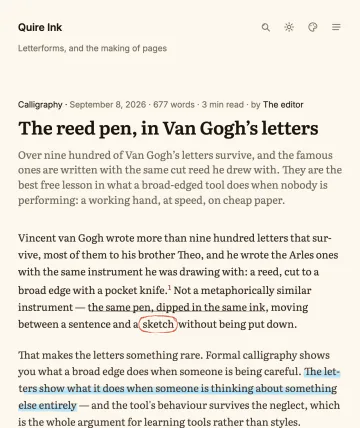
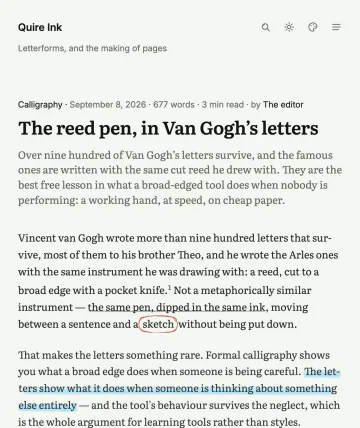
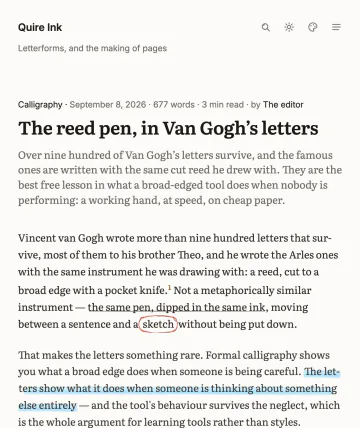
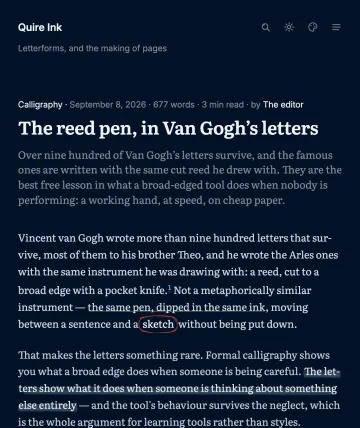
Four looks for the published page. Six palettes, each drawn separately for light and dark. Four reading fonts cut per script, or bring your own font file. Footnotes, callouts, mathematics as real MathML, and a pen that highlights, underlines and rings the lines worth keeping, every stroke drawn a little differently the way a hand draws. And search that folds diacritics, so lap trinh finds Lập trình.


Four looks, and the last question setup asks is which one. A look decides shape, type and marks; it carries no colour of its own, so all four come out in the palette you chose and in whatever your reader picks over it.
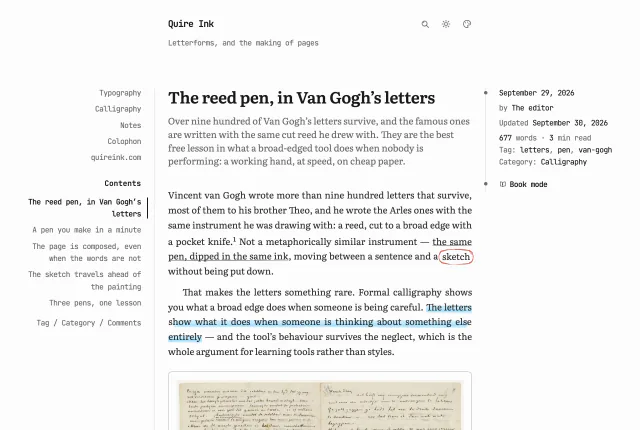
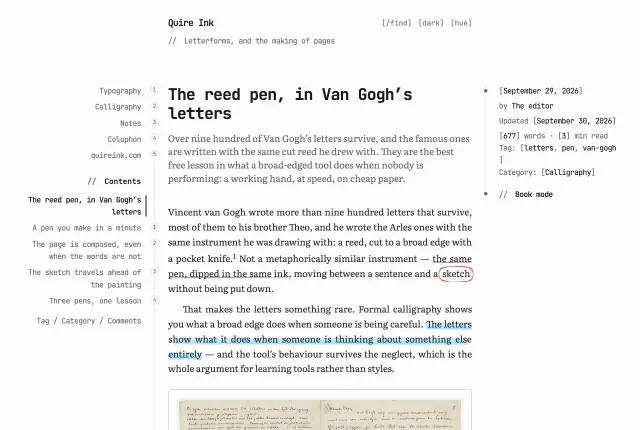
//, code blocks are numbered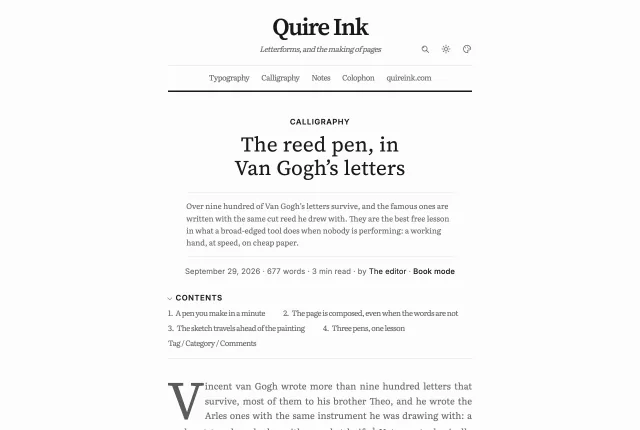
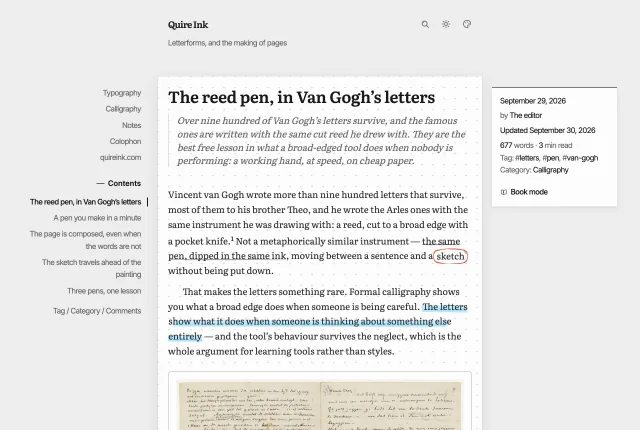
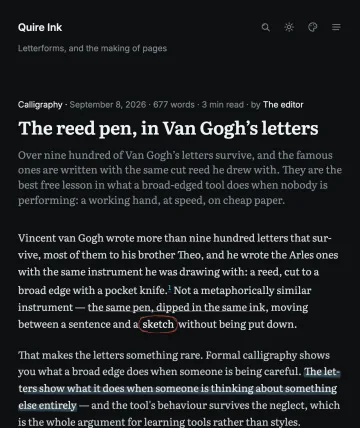
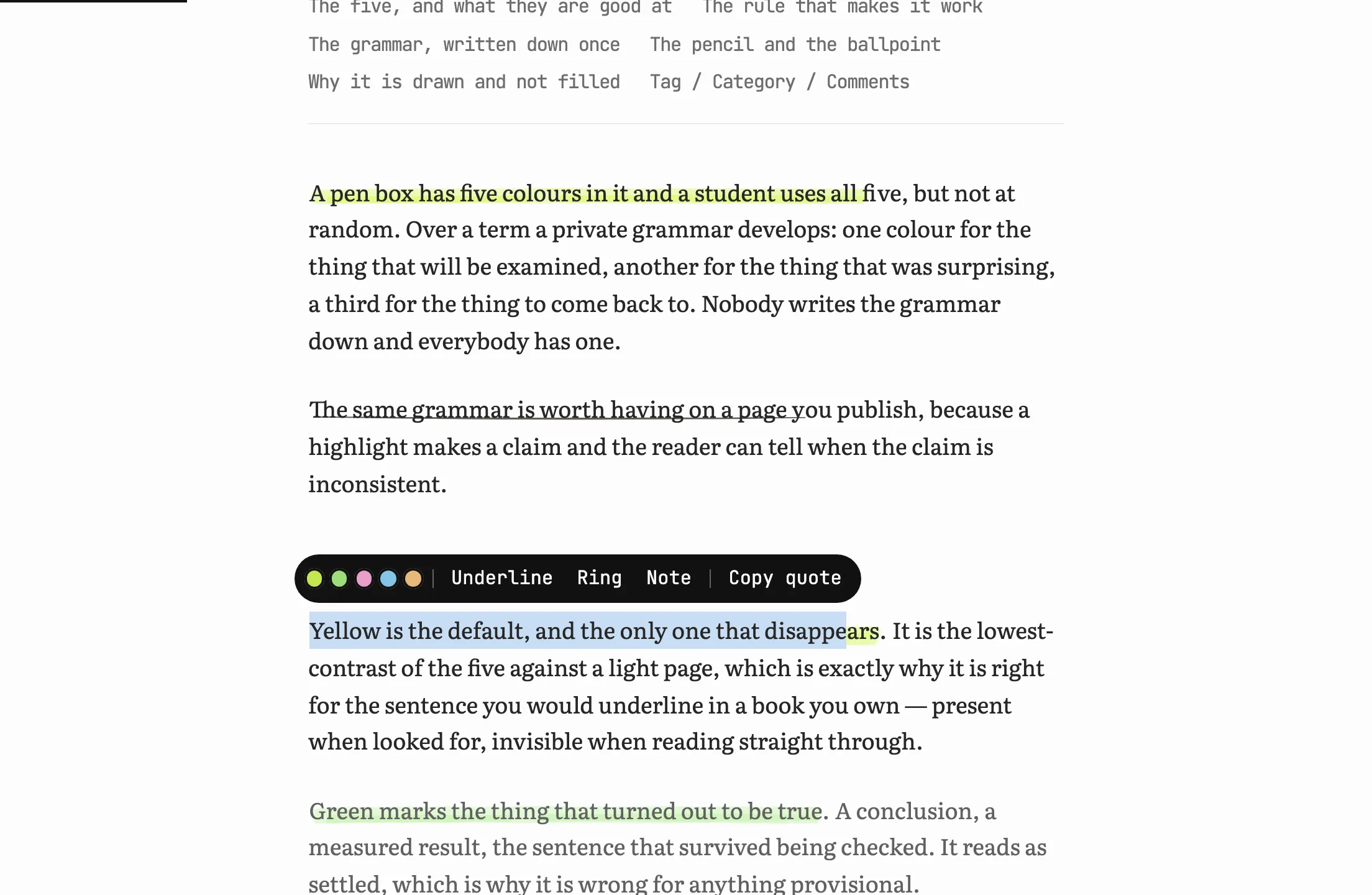
Your readers get a pen of their own.
Select a sentence on any post and a small bar offers five inks, a pencil underline, a ballpoint ring, a note and the quote. The mark is drawn with the site's own hand and anchored to the words, not to a position, so it survives the author fixing a typo three paragraphs up. It lives in the reader's browser and is sent nowhere. Keep on every device carries it across by a twenty-character code, or by the Google sign-in commenters already have; the server keeps a hash, never an address, and the owner sees none of it. Send to my notebook hands the passage to the reader's own Quire Ink, or to any site that speaks Micropub. On from the first install, and one switch turns it off.
People can follow you where they already read.
Switch on the fediverse and the blog becomes an account: somebody on Mastodon presses Follow, and every post you publish arrives in the timeline they already have open. That is a different thing from a feed, which asks a reader to keep a second application for you alone. Both work, and both are yours to switch off.
One more door, shut until you open it: a read-only API hands your writing to a program as JSON with the Markdown intact, which is how you would build a second front end, a search index or a link checker without anything scraping your pages one at a time.
The fediverse account and the API both arrive off, on a new blog and on an upgrade. A door that opens itself because the software updated overnight is not a door you chose.
An AI can write and publish for you.
Quire Ink ships a working MCP server. Connect Claude, or another assistant, and say:
"Write a 600-word post about today's trip, tag it travel, publish it."
you, to your assistant, from anywhere
It drafts and publishes through exactly the rules you use: the same slug checks, the same revisions, the same soft delete. Its access is a token you created in the admin, and you can take it away at any moment. Every post is also served as raw Markdown to any agent that asks, because that is the source it was written in.

There is no database to install and nothing to deploy.
Point a domain at one command and you have a blog:
bun src/index.tsthis is the whole deploy
One Bun process, two SQLite files, a directory of uploads. A backup is a copy. No database server, no cache tier, nothing else to keep alive at three in the morning.
And the part you have to trust is 7.6 MB.
The image is 366 MB on disk and almost none of it was written here. Debian and the Bun runtime take most of it, the Bun binary alone being 76 MB. Libraries take another 63, and they earn it: resizing your photographs, colouring the code in your posts, drawing the picture that shows up when somebody shares one of your posts.
What is left is Quire Ink: 546 files. It was 905 until 2.2.13 went looking and found the test suite riding along inside the image. Every number here was measured inside the 2.2.14 image, not estimated.
- the whole image
- 366 MB on disk
- libraries
- 63 MB, images + code
- quire ink itself
- 7.6 MB, 546 files
- a new blog
- 488 KB of data
- 39 posts, 18 pictures
- 15 MB of data
The demo above, 39 posts and 18 pictures, already outweighs the program that serves it. That is the right way round. The whole design is written up honestly, including the bugs that shipped and the measurements behind each decision.
Or try the reading page on the WordPress you have.
Everything above is the engine. The reading page by itself is also a WordPress theme, generated from the same stylesheet: the six palettes, the contents rail, book mode, six self-hosted typefaces, and no third-party request on the page. Install it on the site you already run and the words you already have are set the way this one sets them, this afternoon, with no migration in front of you.
It is in the WordPress theme directory. Appearance, then Themes, then Add New, then search for Quire Ink. Nothing to download and no file to upload, and updates arrive with everything else on the site. wordpress.org/themes/quire-ink
Nothing of yours moves. The theme adds no custom post type, no taxonomy, no database table and no shortcode. Switch away and every post is still a post. It is free under GPL v2 or later, the licence WordPress asks of a theme.
What the theme is, what it costs a reader, and what does not carry over →
The questions everyone asks first.
What do I need to run it?
A domain and a rented server; the cheapest tier is enough, since the blog runs in 192 MB of memory and 256 MB is plenty. Or no server at all: a Cloudflare account on Workers Paid ($5 a month) and one button, in beta. With Docker the setup is about fifteen minutes, and the install guide walks it step by step, including a NAS and your own laptop. After that, the daily work is all in the admin, from any device.
Is it free?
A personal blog costs nothing. Running it inside a business, or selling hosting where every customer gets their own blog, is allowed too, as long as what you run is the version published here. Only a modified version used commercially needs to ask first. The licence is PolyForm Noncommercial with that exception written in.
Can I leave later?
Two buttons. One hands you the whole blog as an archive that restores it here; the other hands you a ZIP of plain Markdown files, your images beside them, which Hugo, Astro, Eleventy or WordPress will read. There is nothing to escape from, because the way out was built at the same time as the way in.
What about my WordPress blog?
Import the WordPress export file and your posts, pages and images come across, with old inbound links redirected so nothing breaks. And if you are not ready to move, the WordPress theme puts this reading page on the site you already run.
Who is it not for?
A newsroom with roles, approvals and an editorial queue. Quire Ink has one owner on purpose, and everything is simpler because of it.